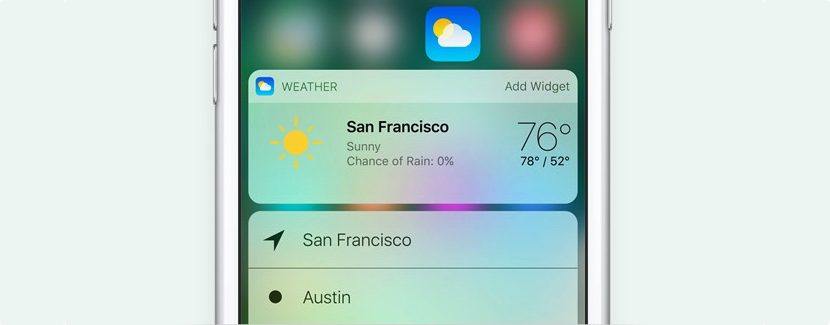
Many are users who today are making use of the betas of iOS 10, when the company opened the program to any users audience I could install the public of this tenth version of iOS betas. In addition to the renewal aesthetic that has received this new version, Apple le has given a special importance to them widgets and notifications in the screen of lock, widgets that in many moments can show information personal that not want to share with any person that can have access to the terminal, although it have protected with our footprint or through code numerical.
Fortunately, but want anyone to have access to our widgets where display information on our person, iOS 10 offers the possibility to disable that window, in a way that only have two options from the screen lock: own lock screen itself to unlock the device and showing notifications and access the camera by rotating the screen to the left. Here we show you how to avoid to display widgets on the lock screen.
Avoid to display widgets on the screen of iOS 10 lock
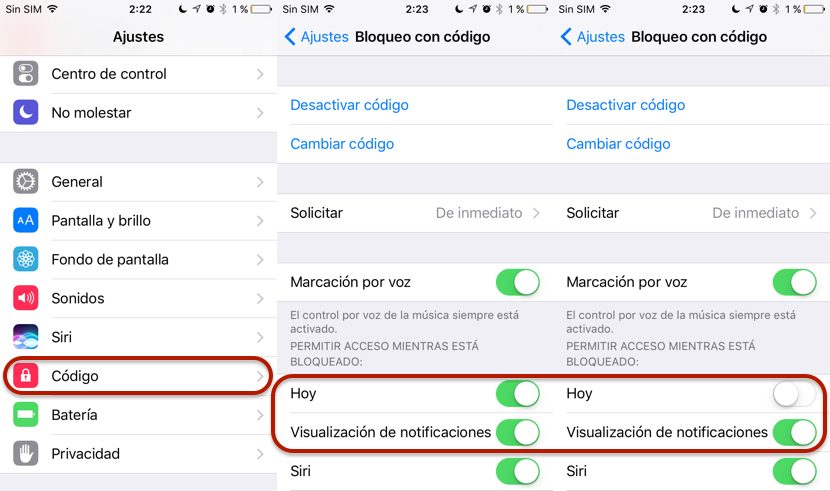
This process requires that your terminal is protected by a numerical code or fingerprint, otherwise, we will not be able to avoid those widgets to show up. This is a logical step because we do not want anyone who can access our terminal may have access to these widgets or the information we store in our terminal.
- First of all we have to go to settings.
- Within settings look Touch ID and code.
- If we have not activated the code or Touch ID protection, we must do so to gain access to the option that allows us to block access to widgets.
- Now we have to go to the section allow access while it is locked.
- Within this section, you have to uncheck the tab today. If we want in addition to notifications will not be displayed, must also uncheck the following option display of notifications.


