You have on occasion a file mistakenly deleted from your computer or an external drive such as a USB flash drive bypassing the Recycle Bin? I Yes and the truth that is a real problem when that file was important. Luckily the data recovery software has improved a lot and nowadays it is quite easy to recover an accidentally deleted file.
Today I want to talk precisely about a software that can be used in these cases: Wondershare Data Recovery. An application that is available for Mac and Windows with which we can recover data deleted by mistake (or otherwise) of hard drives, SSD drives or Flash drives, both internal and external in a simple way.

Simple recovery of files deleted by mistake on Mac and Windows
As we said, Wondershare Data Recovery is not only able to recover files deleted by mistake. It also has ability to recover partition deleted or corrupt, a very useful function when a disc begins to give us serious problems.
The application’s interface is intuitive, what makes any user, have the level of expertise you have, to be able to use it to recover data loss on USB drives, hard drives, SSD, etc, etc…
Despite this simplicity, in the following lines we will explain what would be the procedure, step by step, to retrieve some files deleted by mistake from a USB memory stick. In our case them files have been deleted to posta and after is has emptied the trash of recycling for not exists form of recover them if not is using a software as Wondershare Data Recovery.
The steps are as follows:
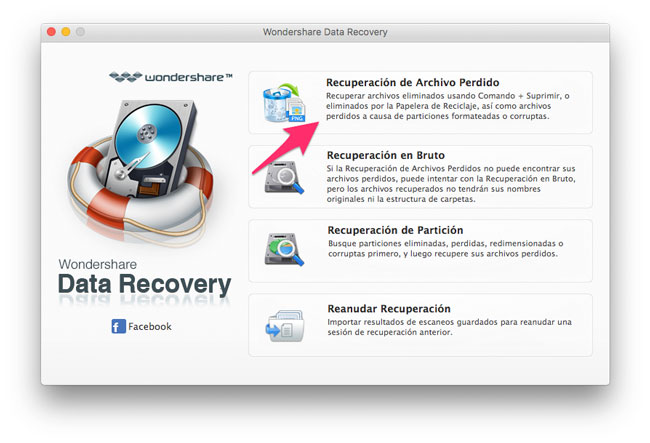
1.-open the software and click on the option recovery of file lost.
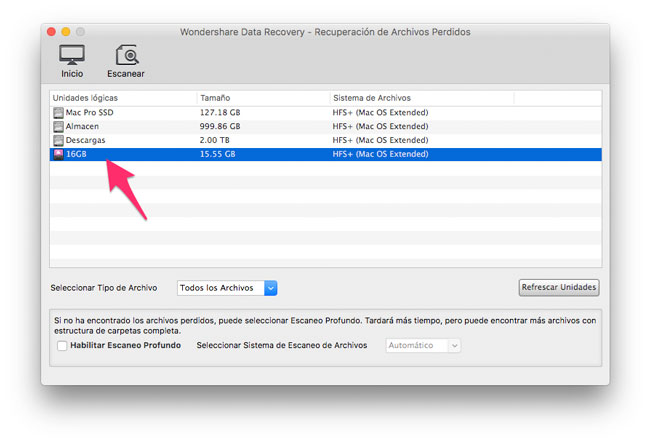
2. in the following screen shot will appear all the drives connected to your computer. In our case click on the unit with the name 16 GB that correspond with the flash drive on which the files have “accidentally” deleted.
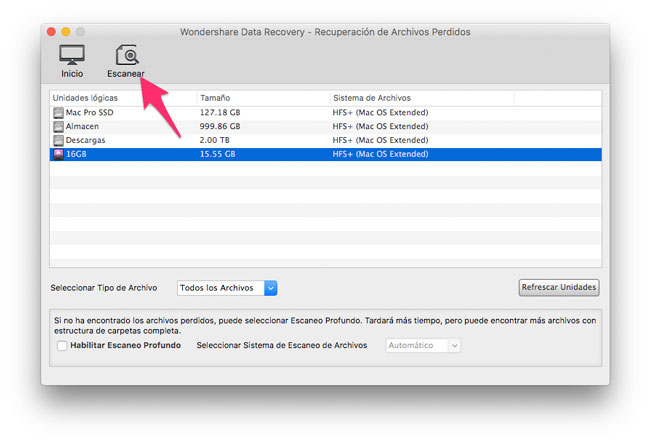
3. now click on the button scan that we find in the upper area of the screen.
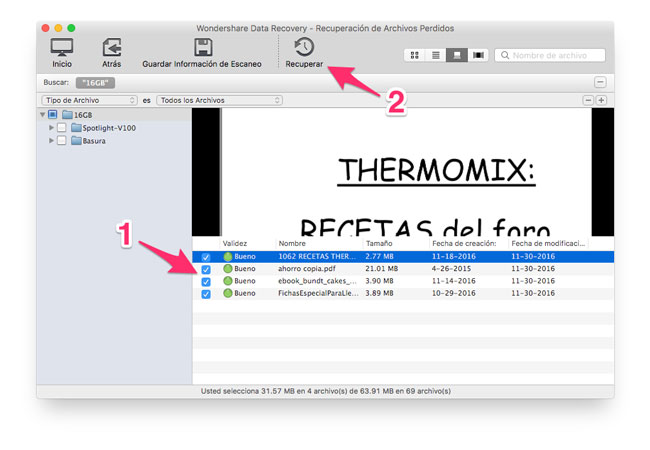
4. after the scanning, the software will show us a list of folders in which found files that can be recovered (sometimes might not be able to find the files and ask us to do a recovery in gross, other options on the main screen that works more thoroughly and needs more time to complete the task of scanning). As you can see in the screenshot that accompanies these lines there are four files in the root of the drive (which are the files that we are interested in), in addition to some folders extra.
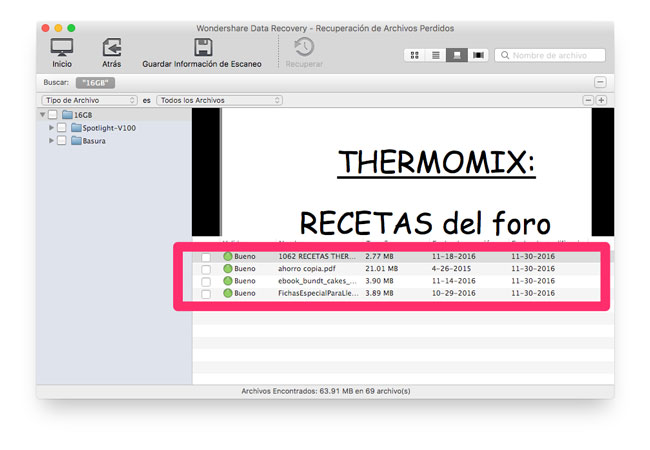
5 Select the files that you want to recover and click on the button back in the upper area of the screen.
6. the software will ask at that location we want to save those files, select it and click on Save.
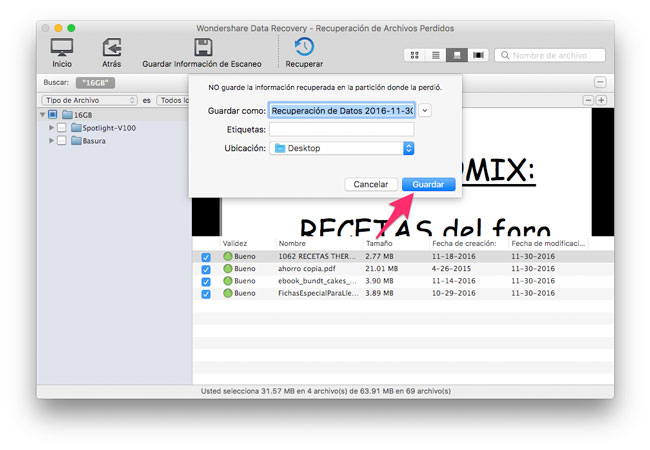
Now the software will work automatically and depending on the size of the files will take more or less. Once you are done, will have the recovered files in the location you indicated in point 6.
But as we can see with this example to recover accidentally deleted data is quite easy, we must bear in mind some things. The most important to get recover lost data is that, as we realize that we need some file, Let us use the storage unit to prevent that data is overwritten completely. When this happens, that we will lose the data completely and we can not retrieve them this way.
In addition to this, it is also highly advisable to follow the recommendations common to avoid data loss: make backups on a regular basis, make sure that our storage units are in good condition, etc, etc…
Download Wondershare Data Recovery for Mac and Windows
Wondershare Data Recovery is available both for Mac and Windows computers. There is a trial version that we can use the software is limited to check that he fits our needs and where it fits us to purchase its full version to be used are limitations.


