Segur0 on more than one occasion we have had to calculate the size of an object, which we have always tried to use an object reference we know that length has to calculate approximately the size of the object to be measured. This little trick is commonly used much with the measurements of the tiles of the floor to measure a piece of furniture, bed, wardrobe… As approximate measurement system might be useful in a given time, but if we really need accuracy, or seek us one meter anywhere, or look for us a meter unless we have hand any rule that we serve as a reference.
In the App Store we can find different applications that allow us to measure objects thanks to a kind of meter that is displayed on the screen. This small pocket meter can us out of trouble when we need to measure a small object, but when the size exceeds the device screen, the only thing we can do is to obtain an approximate measure. To solve these problems, we can make use of the application VisualRuler, an application that allows us to measure the size of objects without having to hand a ruler or meter.
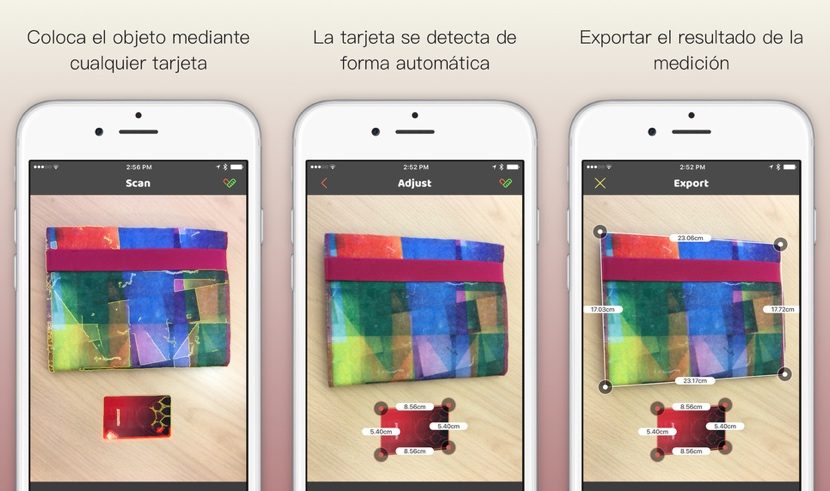
VisualRuler uses techniques of computer vision to calculate the sizes of the objects in the image. For this we will make lack have of an object as reference. This object is a credit card, card of indemnity, driving license… All these objects have the same length, a few millimeters can to several, but they are used as a reference rectagulo to calculate the size of the objects in the drawing.
How this application works is very simple, since you only have to take a picture to the object that we want to get the measures together with the credit card. VisualRuler will automatically detect the card to be used as a reference for the measurement. In the next step only we have to draw the lines of objects that we want to get the size so that it offers us the calculated size of the object in question.
The developer says that none of the photographs we do be uploaded to any server without our knowledge which can access the data of the credit card. To be completely quiet, the best thing in these cases is using any gasoline points or retail cards instead of one of a credit card.
VisualRuler is available for download in the App Store for 2.99 euros, but for a limited time we can make us with her 1.99 euros.
Artikel wurde nicht größer


