Space on the iPhone starts to be a real problem for users of versions of 16GB of it, while Apple has already eradicated the storage capacity in your shop, still having a huge amount of users who have 16GB iOS 10-compatible devices, in fact, I would venture to say that they are hopeless most. So, we are going to teach two ways to eliminate space “junk” of our iPhone, no need to remove photos or videos, and you’ll greatly increase the free in our device storage space. Don’t miss the Council today to free up space on your iPhone easily.
We are going to teach two modes, classic that allows us to free up space in a simple way and without having to install absolutely anything, taking advantage of iOS cleaning tools, and on the other hand an alternative method that will allow us to install iCleaner Pro, iOS more powerful cleaning tool which can be found.
Free up space on the iPhone – easy mode
This is the simple, save us having to install content and all steps, however, sometimes it is not as effective as it can be advanced mode. However, the results are spectacular, I could see grow storage free my iPhone from 1, 5 GB up to 5, 6 GB in a matter of seconds, and it is that iOS has its own cleaning tool. This tool, formerly ran when we attempted to download content from the iTunes Store that exceeded our available storage, however, this feature was limited by Apple with the arrival of iOS 10 and new conditions of service.
That Yes, what we have seen is that this function has moved to the iOS App Store, something to what all we welcome you without any doubt. The question is: How can I run the iOS cleanup tool? Simple, go to the iOS App Store and look for the free app or purchased by you that occupy more space, it is essential that the size of the application is exceeding our available space, I for example, I used Infinity Blade III with its 3, 1 GB. Act followed, will begin to download is the application and you’ll see as on them icons of many applications is appreciates the subtitle “cleaning”, and that is that is is undoing of all them files waste, is working. Left to the system that ends.
Finally remove the application lure you used your device and go to settings > General > information, in order to appreciate the size of your free space has grown considerably. Easy and fast.
Free up space on the iPhone – installing iCleaner Pro
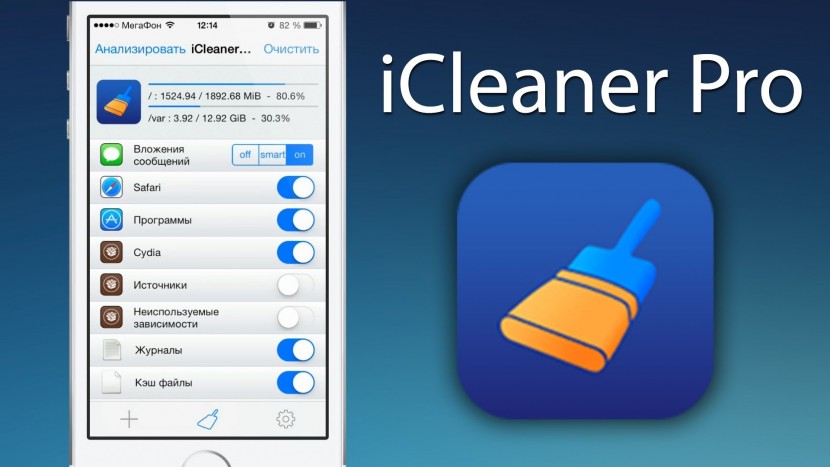
iCleaner Pro is one of the most popular tweaks of iOS, and we have to tell you that it is possible to install it easily on our device without even making the Jailbreak. To do this, first of all we’re going to do with the. IPA of iCleaner Pro in the following LINK.
When already it we have, we are going to download the two programs which we will need in our Mac to install it via the connection cable:
- Download Xcode 7
- Download Cydia Impactor: www. cydiaimpactor.com
Now we start Xcode 7 we will have to manage our device, it is important that we have enabled a developer account, free or paid, in Apple. Following steps left to us by our colleague Luis Padilla in the previous tutorial, we’ll add our account in Xcode 7. Now that we have the paired device, we closed Xcode 7 and start Cydia Impactor.
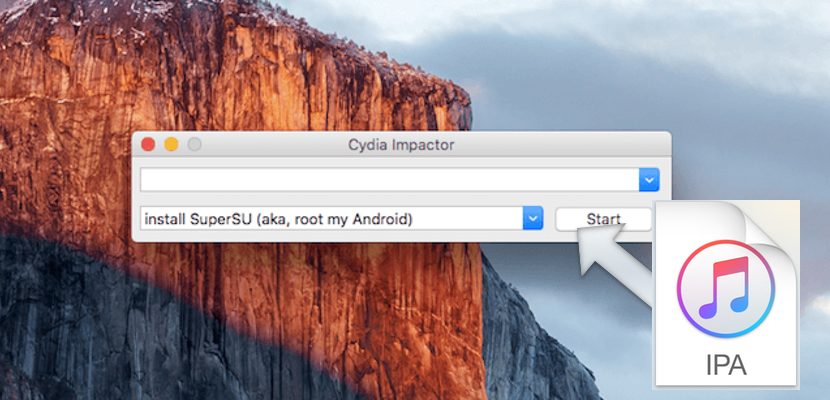
We’ll start Cydia Impactor from the executable file in question, and once it is started, we connect our iPhone or iPad via USB-Lightning. When it is recognized, take the. The previously downloaded Pro iCleaner IPA and drag it on top of the small window. Then we will ask the account of Apple, we can insert it without fear. Inform us of risks and install the application.
Now a window will appear in the iPhone to check the developer, obviously we’re going to click on “Trust”, and we can already execute iCleaner Pro. We remind you that this application will last about a week, which will take to revoke the certificate and would have to return to the same paraphernalia. I hope that you have served to free up space on your iPhone.


