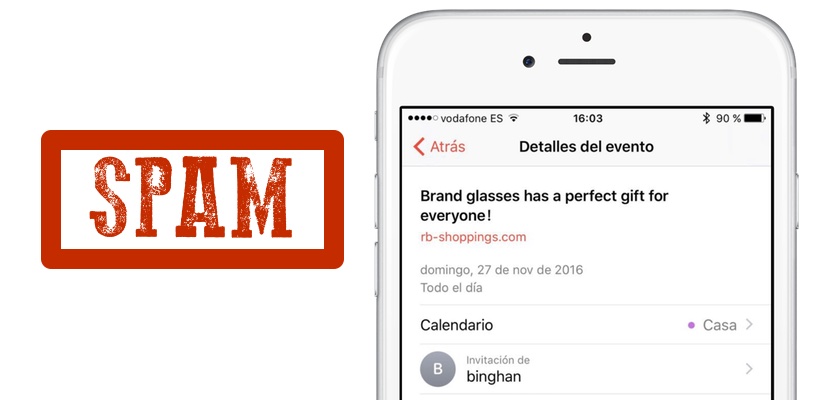
Recently many Apple users are complaining about strange invitations the timetable for iCloud arriving from senders which unaware completely as that you can see in the image header (thanks to @kepalope87). It’s a new Spam that is flooding the calendars of many users of iPhone and Mac, which is very annoying, because each invitation means a notification as well as the hassle of having to reject it. Precisely in this Act of rejecting the invitation is the biggest mistake that can be committed. Want to effectively remove these annoying notifications? We explain the best solution that exists at the moment.
Do not reject
When you receive a notice of an event that you don’t want to, it is normal that you directly click on the button “reject” appearing in the same. (E)This is the worst mistakes you can make, because to reject it you are confirming that sent you the invitation that this account is active, and will continue sending invitations without ceasing. Indeed, invitations are being made at random, sending them to post without knowing if they really exist or not, if they are active or not, but to confirm that the account is valid, you’re lost and you will bomb with more invitations.
First method: create a calendar SPAM
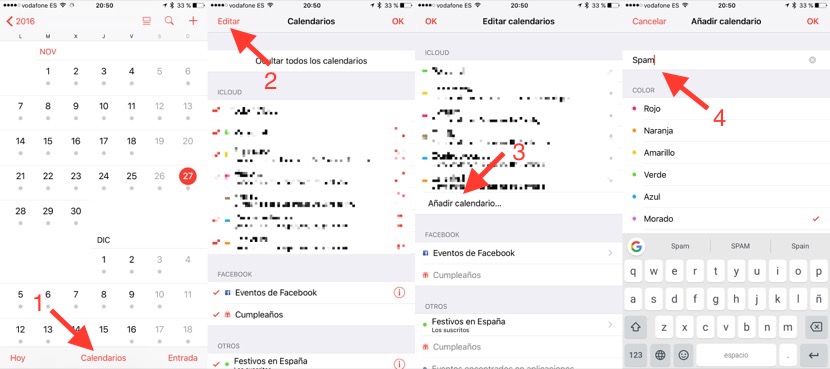
What are going to do is take these invitations to a calendar that we create specifically for this purpose, and the name “Spam”. For this enters in the application calendar of iOS, press in the button “calendars” of the part lower, press in “Edit” and then on “Add Calendar”. Writes the name of the calendar (Spam in our example) and click on OK. Now move unwanted invitations to the new calendar and then removes the calendar. Is very important that you choose the option “Not notified” when you delete it, or you’ll be making the same mistake that I mentioned earlier. The problem is that you’ll have to repeat the procedure each time that you receive a notification.
Second method: diverts to email notifications
There is a “more permanent” way to remove these pesky invitations and consists of diverting those calendar application to our email notifications. Apple allows instead of receiving a notification of the application calendar is to send us an email with the invitation. To do this you will have to access our iCloud account from any computer’s web browser.
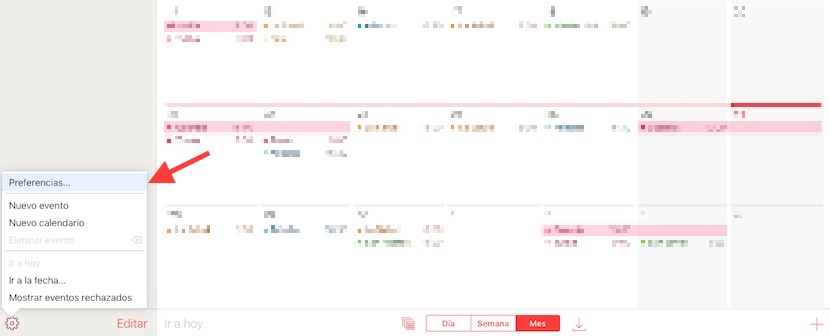
We enter the application calendar and click on the sprocket that is down to the left. We chose the option “Preferences” and select the “Advanced” tab.
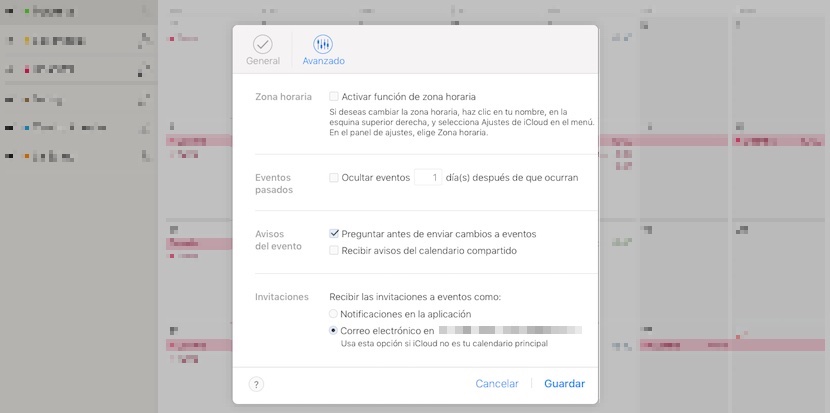
Hence we have to look at the bottom, in the section “Invitations”. The option is enabled by default “receive invitations to events such as: notifications in the application” and we must change the option “Mail electronic..” so that notifications become emails to your Inbox. Here already we can use the tag as Spam so don’t bother us. The disadvantage of this method is that all invitations will be sent to our email Spam, and if it is a function that we use from time to time would not be appropriate.
Two methods for an interim solution to a problem that Apple should respond shortly with the option to categorize as Spam from the calendar application and block the sender. We will be attentive to the movements that Apple’s in this regard.


