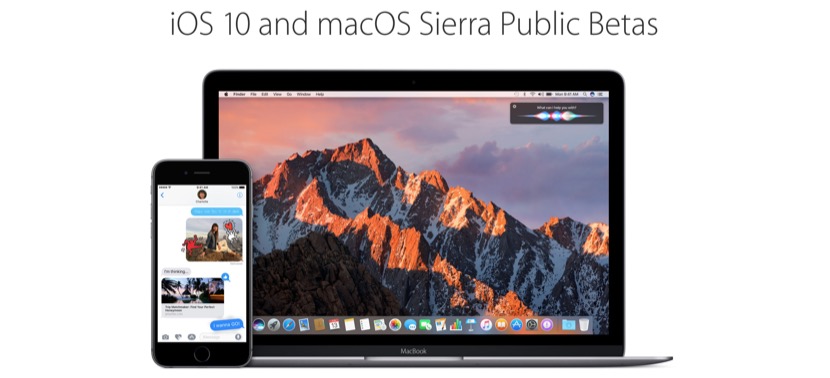
Apple did not expect too much, and after a few days of the release of iOS 10 Beta 2 and macOS saw Beta 2 already has launched your public Beta program for these versions. No longer necessary be developer to try was your devices all innovations that Apple introduced on 13 June and to be launched officially in September. Would like to know how to get register in the public Beta program and test new versions before its official launch? We explain everything step by step.
Install the public Beta of iOS 10
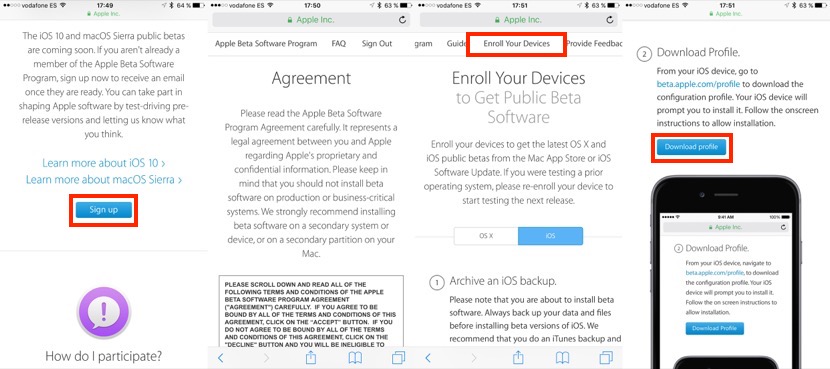
To test 10 iOS on your iPhone or iPad, you must open Safari on the corresponding device and go to the following address: https://beta.apple.com/sp/betaprogram. Click on the blue button “Sign up” and enter your access to your Apple account information. Accepts the contract agreements and then go to the tab “Enroll your Devices” and get down, scroll up to the “Download Profile” button. Install it on your device and restart. You should already appear in settings > General > the first public Beta of iOS 10 Software Update.
Install the public Beta of macOS Sierra
The procedure is virtually identical to the of iOS 10, but without having that install profiles. Click on this link to go to the public beta program page and click on “Sign Up”. Enter your access to your Apple account data, and section macOS button will give you “Download the macOS saw Public Beta”. The Mac App Store will open then and the system installer will be downloaded.
Never cease to be Betas
Criticisms are still good, but keep in mind of that does not cease to be Betas, so it is not recommended to install them in your main devices because you can have stability, application compatibility problems and even lose important data. You have been warned.


