The iPad is a very powerful device that can be very useful in your day to day on the job. The tablet is very powerful and has with an endless applications of all types to manage the work, write documents and much more, that to be so light and portable you can not missing a beat in no time.
Thanks to the iPad can have all always ready to consult it, make changes, or any other task regardless of where you are. Even you can take advantage of a travel time to work!
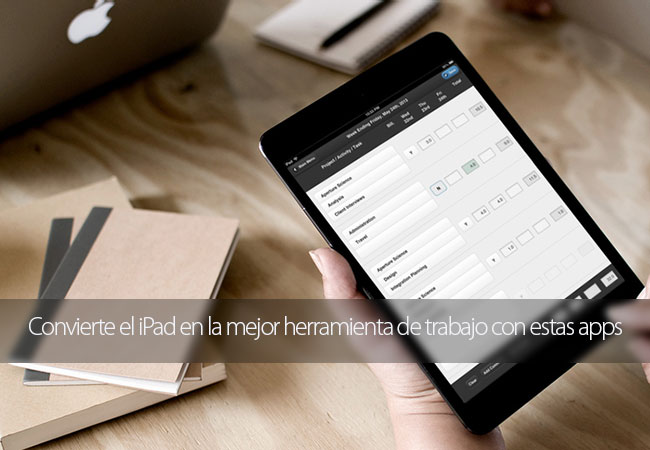
Then you leave with a small collection with the best iPad apps with which you can take the office always over. We started!
Turn your iPad into a small office with these incredible applications
EverNote
This application allows you to create notes, add images, links to web pages, reminders, save files, among many other possibilities. As it allows you to synchronize everything with the rest of your devices can start something on the iPad and then finish it or check it from another device easily, regardless of being an iPhone, Android, computer, etc, etc…
WP-Appbox: EverNote (Free*, App Store) →
WPS Office free
WPS Office free you can view and edit PDF, documents, spreadsheets, and presentations in a very easy and simple way. Without doubt one of the most complete free Office packages from the App Store.
WP-Appbox: WPS Office free: view and edit PDFs, documents, spreadsheets and presentations (Free, App Store) →
Pages
Word processor from Apple that lets you create resumes, reports, and other documents in a matter of minutes. You have several options to add tables, charts, and much more.
WP-Appbox: Pages (€9.99, App Store) →
Numbers
As it could not be otherwise could not miss an application of spreadsheets in the hands of Apple. Also it is very comprehensive and is also compatible with Microsoft Excel spreadsheets.
WP-Appbox: Numbers (€9.99, App Store) →
Keynote
Create great presentations with Keynote from your iPad which you can then import to send via email or play them in streaming with AirPlay or an Apple TV. Account with a lot of templates on which you can base your presentation or if you prefer to create your own from scratch.
WP-Appbox: Keynote (€9.99, App Store) →
Dragon Dictation
Application of voice recognition that allows you to dictate and see automatically what you say converted in text in order to send a message, email or write any document. In this way you can take advantage of the time, because that is up to 5 times faster that typing.
WP-Appbox: Dragon Dictation (Free, App Store) →
OmniGraffle 2
Create diagrams, process chart, a scheme of a web site or a graphic design had never been easier since the iPad thanks to OmniGraffle 2.
WP-Appbox: OmniGraffle 2 (€49.99*, App Store) →
OmniFocus 2
Universal application for iOS that puts at your fingertips all the advanced computer task management functions. It is a system that allows you to easily manage your daily agenda, meetings, trips, projects, or anything that you can imagine.
WP-Appbox: OmniFocus 2 (€39.99*, App Store) →
ZOOM Cloud Settings
This application allows you to be in contact with coworkers or customers in a very simple way. Allows you to make calls from voice, video, chat and even share the screen with the person with whom you are talking.
WP-Appbox: ZOOM Cloud Meetings (Free, App Store) →
GoodReader
GoodReader is a great tool to view, create and edit annotations on PDFs and other formats (spreadsheets, text documents or presentations). It also allows to view images, play video or listen to audio directly from the application.
WP-Appbox: GoodReader – PDF Reader, Annotator and File Manager (€4.99, App Store) →
Dropbox
Application that allows you to access and manage the content you have in this cloud storage service. Ideal for sharing photos, documents, videos and other files, as well as to access them from all your devices.
WP-Appbox: Dropbox (Free*, App Store) →
Scanner Pro 7
It makes your iPad camera all a scanner to scan documents of text or images that you can then save and email. Scanner Pro 7 allows you to send documents in PDF or .jpg, as you prefer.
WP-Appbox: Scanner Pro 7 – scanner PDF of documents and invoices with OCR (€3.99*, App Store) →
PrintCentral for iPad
Print from your iPad with any printer WiFi without any additional software. In this way you can print remotely without having to resend it to a computer to be able to remove it in physical format.
WP-Appbox: PrintCentral for iPad – printer of Email and full shared iDisk/file (€4.99*, App Store) →
Concur
This application can be useful if you often travel regularly for work. Keep track of your spending and keep the productivity on the go.
WP-Appbox: Concur – Travel, Receipts, Expense Reports (Free, App Store) →
Gmail
An electronic mail manager could not miss on your iPad. The Google allows you to manage up to 5 different email accounts at the same time, archived emails, group together them for talks and much more.
WP-Appbox: Gmail: email from Google (Free, App Store) →
With these applications you can get your iPad become essential for every day of your work. Surely there are many more that have left us in the dark, why invite you to tell us what is your essential app for the job.
Turns the iPad in the best tool for working with these apps is an original article of TodoAppleBlog.


