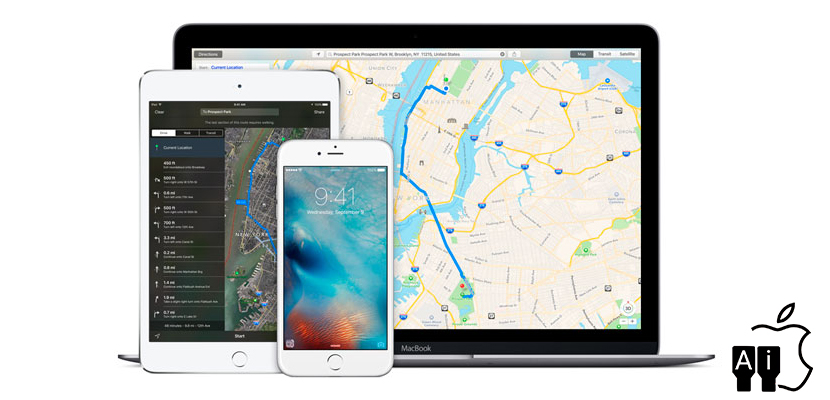
iOS 10 and above all the developments at the level of the maps app on iOS has given us the possibility of using this app from Apple that began with bad foot a little more. Today we will talk about the function that allows us to know where we parked the car without having to touch absolutely nothing. This feature is integrated directly in the settings of the device, provided that we maintain Apple maps installed clear. Don’t miss this tutorial on how to enable or disable the “show car parked” on our iPhone automatically.
When you browse maps of Apple hand, the last thing we need is to lose the car, but the possibility is quite clear, especially when we are in an unfamiliar city. All we have ever thing of not knowing where we parked the car, or take advantage of the more savvy to write down the name of the street where you have parked the vehicle, thus can again after the place of the parking lot following the signs of your preferred navigation application. In this case with the arrival of iOS 10 can set a function that does all this work for us, we will remember done have parked so that we never lose our car on the way.
How to activate the function “Show parked car”
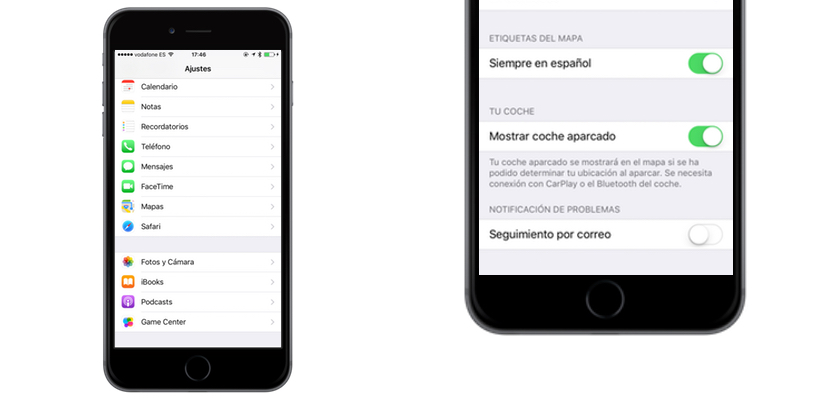
- We went to the default settings application for iOS
- If we have installed maps, we look for it in the list of configurable applications
- Inside, without having to look too much, in the penultimate function we found “parked car show“
- You only have to enable or disable switch depending on whether we want to or not
- Now we’ll have to go to “notifications” in the “settings” menu to allow the devices to notify us which is the place where we parked automatically
And that’s all. Tell us also what are your tricks for knowing where you have parked the car.


